How to Avoid Spam Detection on Generated AI Content

Google doesn't penalize AI content. Google penalizes garbage content. The distinction matters. Their official stance is clear: quality and helpfulness determine rankings, not whether a human or a machine wrote the words. Here's how to make sure your AI-generated content passes both Google's SpamBrain system and third-party detection tools.
Why AI Detection Matters (And When It Doesn't)
Google's position as of 2025: They don't use AI detection scores as a ranking signal. They evaluate content quality through signals like dwell time, bounce rate, backlinks, and user satisfaction. An article detected as "95% AI" that genuinely helps users will outrank a "100% human" article that's thin and useless.
When detection does matter:
- Client work. If you're an agency producing content for clients, they may require human-written content. A high AI detection score creates trust issues.
- Academic and journalism contexts. Publications have strict AI disclosure policies.
- Google policy shifts. Google's stance could change. Having content that reads naturally is insurance against future algorithm updates.
- Content quality signal. High AI detection often correlates with generic, template-sounding content. Reducing detection usually means improving quality.
7 Prompting Techniques That Reduce AI Detection
Detection tools flag patterns: predictable sentence structure, overused transitions, consistent paragraph length, and certain phrases AI models favor. Break these patterns and detection scores drop.
Technique 1: Feed the AI Your Writing Style
Before generating content, paste 2-3 articles you've personally written. Tell the model: "Analyze the tone, sentence structure, vocabulary, and rhythm of these articles. Write all future content matching this style exactly."
This is the single highest-impact move. It shifts the AI's output distribution away from its default patterns and toward yours.
Technique 2: Request High Perplexity and Burstiness
AI-generated text tends to be uniform—similar sentence lengths, predictable word choices. Human writing is messy. Short sentences. Then a long one that goes on and on because you're building an argument.
Prompt: "Write with high perplexity (varied vocabulary, less predictable word choices) and high burstiness (mix of short punchy sentences and longer complex ones)."
Technique 3: Ban AI-Favorite Phrases
Every model has default phrases it reaches for. Banning them forces more natural output.
Phrases to block in your prompt:
- "It's important to note that..."
- "In today's fast-paced world..."
- "When it comes to..."
- "At the end of the day..."
- "This comprehensive guide..."
- "Whether you're a beginner or an expert..."
- "Without further ado..."
Add this to every prompt: "Never use the following phrases: [list]. Write like a human having a direct conversation."
For more on writing effective prompts, see best practices for ChatGPT prompts.
Technique 4: Inject Specific, Personal Details
AI writes in generalities. Humans write from experience. The fastest way to beat detection: add real specifics the AI couldn't know.
- Replace "many businesses have found success" with "I tested this on 3 client sites in Q2 2024 and saw a 34% traffic increase."
- Replace "tools like Ahrefs and Semrush" with "I pulled the data from Ahrefs' Content Explorer—filtered to DR 30+, English only, published in the last 6 months."
Technique 5: Use a Competitor's Style as a Reference
Find a competitor's article you admire. Paste it into the AI. Prompt: "Analyze the writing style of this article—sentence structure, vocabulary level, use of examples, paragraph length. Write new content about [your topic] in this same style."
This produces output that reads like established web content rather than AI-generated text.
Technique 6: Write the Intro and Conclusion Yourself
Detection tools weight the opening and closing paragraphs heavily. Write these by hand. Let AI handle the middle sections where your voice is already established by the intro.
Even 100-200 words of genuine human writing at the start significantly drops overall detection scores.
Technique 7: Edit With Specific Instructions
After generating content, run it through a second AI pass: "Rewrite this to sound less formal. Add 2 contractions per paragraph. Replace any generic statements with specific examples. Vary paragraph length between 1 and 4 sentences."
Each edit pass moves the content further from detectable AI patterns.
AI Content Detection Tools in 2025
The detection tool market has matured significantly. Here's what's worth using.
Originality.AI — Best for Publishers
Price: Starts at $14.95/month for 2,000 credits
Originality.AI (affiliate link) is what I use daily. It detects content from GPT-2, GPT-3, GPT-3.5, GPT-4, GPT-4o, Claude, Gemini, and LLaMA models.
Why it wins:
- Full website scanning — paste your domain and it checks every page
- Team management — assign editors, track who reviewed what
- Scan history with tagging — organize by client, project, or campaign
- Highlights specific sentences flagged as AI-generated
- Plagiarism detection built in (checks against web content)
Accuracy: In my testing, it correctly identifies AI content about 85-90% of the time. False positives on human content run about 5-10%. Not perfect, but the best available.
GPTZero — Best for Accuracy
Price: Free tier available, Pro starts at $10/month
GPTZero has become the academic standard for AI detection. Their model is trained on a massive dataset of both human and AI text, and they publish their methodology openly.
Strength: Lowest false-positive rate among major tools. If GPTZero says it's human, it almost certainly is.
Copyleaks — Best for Enterprise
Price: Custom pricing
Used by major publishers and universities. Detects AI content in 30+ languages. Integrates with LMS platforms, content management systems, and browser extensions.
Winston AI — Best for Multilingual Content
Price: Starts at $12/month
Strong detection across English, French, Spanish, German, and other European languages. If you're producing multilingual content, this is the tool to test with.
Writer (Free)
Writer — Check up to 1,500 characters for free. Good for spot-checking individual paragraphs.
How I Actually Use Detection Tools
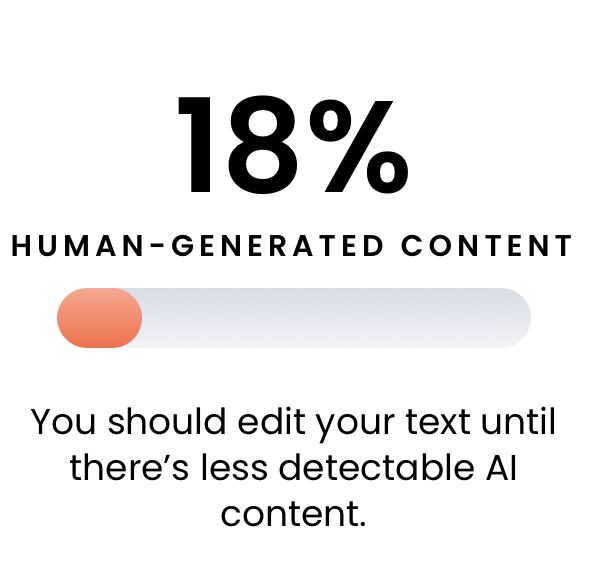
Here's my real workflow. Not the theoretical best practice. What I actually do.
Step 1: Generate content using the prompting techniques above.
Step 2: Run it through Originality.AI.
Step 3: Check the score. My thresholds:
- Under 30% AI detected: Publish as-is. This is within the range of false positives for human-written content.
- 30-60% AI detected: Review the flagged sentences. Usually they're the generic transitions or filler paragraphs. Rewrite those specific sections.
- Over 60% AI detected: The content probably reads as generic as the score suggests. I either heavily rewrite or regenerate with better prompting.
Step 4: Regardless of detection score, I ask one question: "Is this content genuinely better than what's currently ranking for this keyword?" If yes, publish. If no, it needs more work—and that's a quality problem, not a detection problem.
Google's Actual Enforcement in 2025
Here's what we know based on observable data, not speculation:
-
The March 2024 core update targeted "scaled content abuse"—sites publishing thousands of low-quality AI articles to game rankings. Many sites lost 80-90% of their traffic overnight. But sites publishing quality AI content saw no negative impact.
-
Google's "Helpful Content System" evaluates your entire domain. If 50% of your pages are thin AI content, it can suppress your entire site—including the good pages.
-
AI Overviews (Google's own AI-generated answers) cite content based on quality signals, not content origin. AI-written articles appear in AI Overview citations regularly.
-
No confirmed case of Google penalizing a site solely because content was AI-generated. Every penalty I've analyzed traces back to quality issues: thin content, lack of E-E-A-T signals, or scaled abuse.
I've seen completely unoptimized AI content rank in Google. This article on HEDocks was raw ChatGPT output with zero editing, and it still picked up impressions.
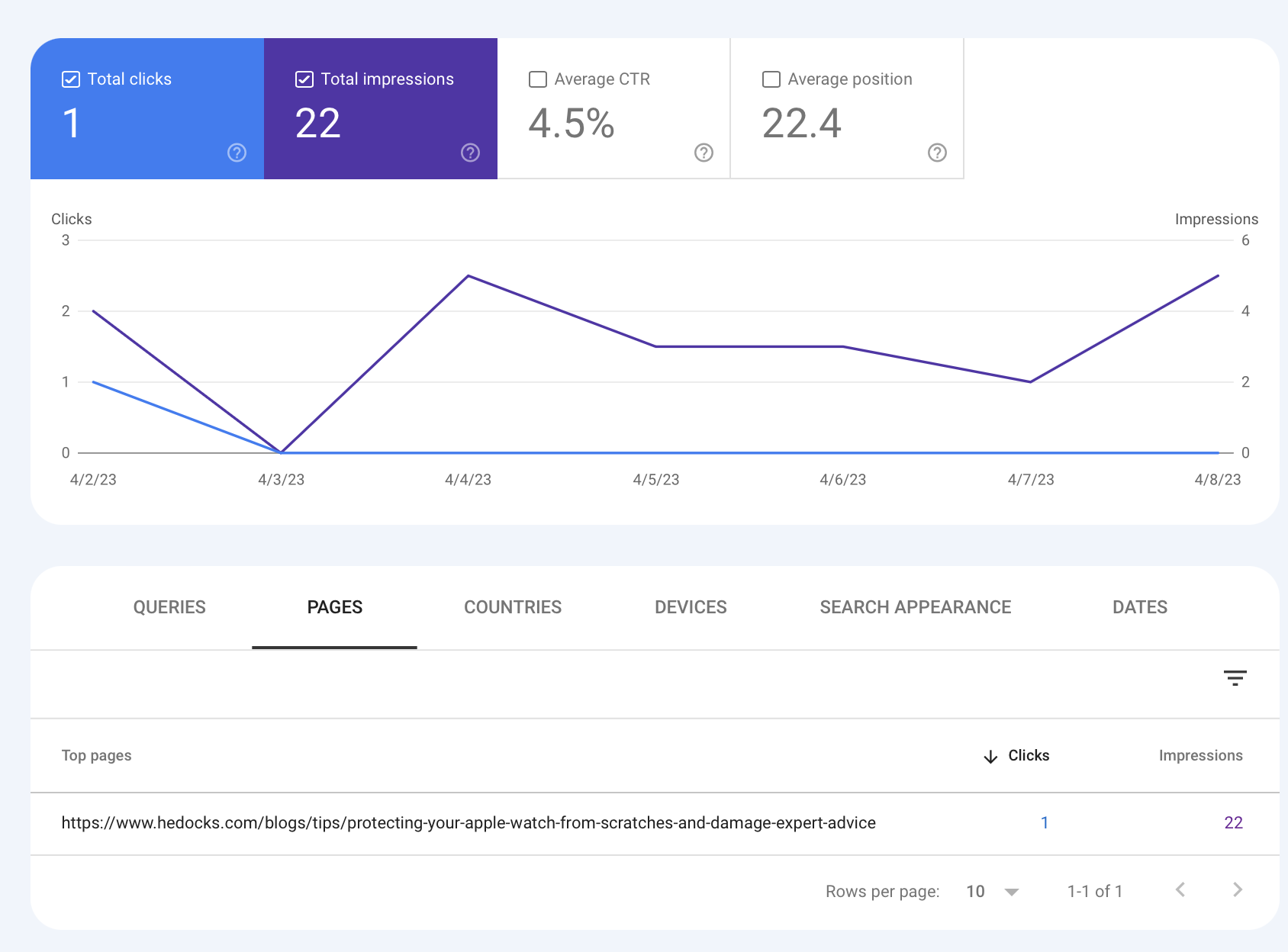
The takeaway: Google's bar is "helpful content," not "human content."
For real examples of AI content that ranked (and flopped), see my full AI SEO case study.
The Watermark Question
There's been ongoing discussion about embedded watermarks in AI-generated text. OpenAI confirmed they developed watermarking technology but chose not to deploy it publicly, citing concerns about non-English language accuracy and competitive disadvantage.
Current state: No major AI provider actively watermarks text output. Google has SynthID for images but not text. This could change, but right now it's not a factor in your workflow.
In Conclusion
Focus on content quality, not detection score gaming. Use the 7 prompting techniques to produce better-sounding content. Run detection tools as a quality check—high AI scores usually indicate generic writing that needs more specifics, examples, and personality. Google rewards helpful content regardless of how it was made.
Related articles: How I Use AI SEO to Get on Page 1 · Best Practices for ChatGPT Prompts · Using AI for SEO Content Creation
Author

Want more like this?
I write about AI implementation, automation, and growth marketing. No hype.